Install the iOS Control
The iOS Control is the component you use to connect with your Agents. Install it on any iOS device where users need to interact with Agents.
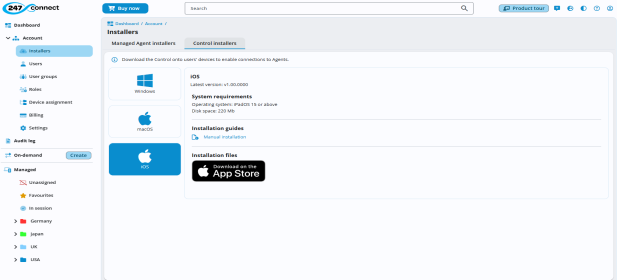
System requirements
Operating system: iPadOS 15 or above.
Disk space: 220MB
Download and install the Control
-
In the 247connect Web Portal, go to Account > Installers in the side menu.
-
Select the Control installers tab.
-
Click iOS.
-
Download the .ipa from the Apple App Store.
-
Install the downloaded file to your device.
When you open the app for the first time, you'll see a prompt asking if the 247connect Control can send you notifications. Click Allow.
See also:


