Account
From the Account screen, you can access key 247connect account-level functions, including installer downloads, user management, user group management, role assignment, device assignment, billing and account settings.
-
In the 247connect Web Portal, go to Account in the side menu.
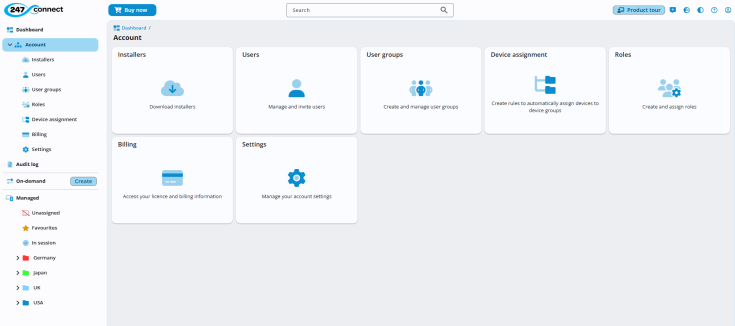
Available options:
-
Installers: Access the Managed Agent and Control installers.
-
Users: Manage and invite users to your account.
-
User groups: Create and manage groups of users.
-
Roles: Create and assign roles to define user permissions.
-
Device assignment: Create rules to automatically assign managed devices to device groups.
-
Billing: Access your
-
Settings: Adjust your account preferences and configurations.